Add people to Training Tracker, set job titles, departments, supervisors, and other information.
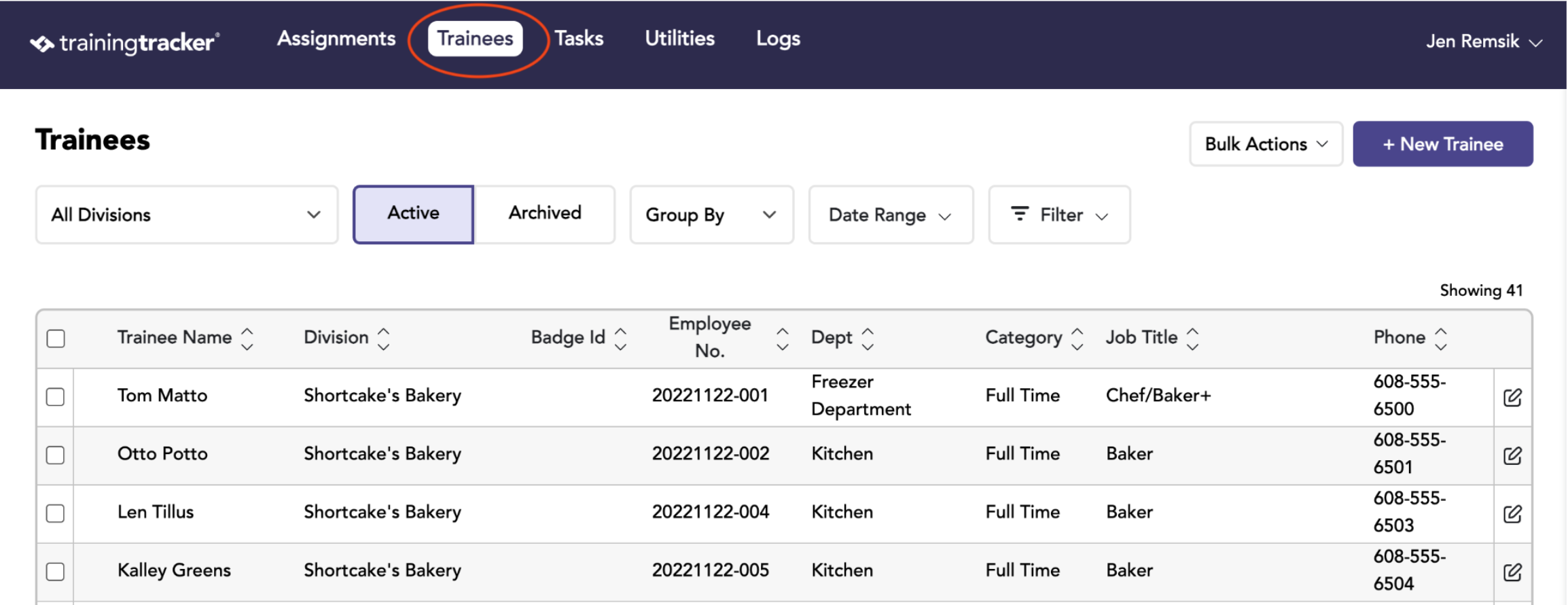
To add a trainee, click on the “trainees” tab in the top menu
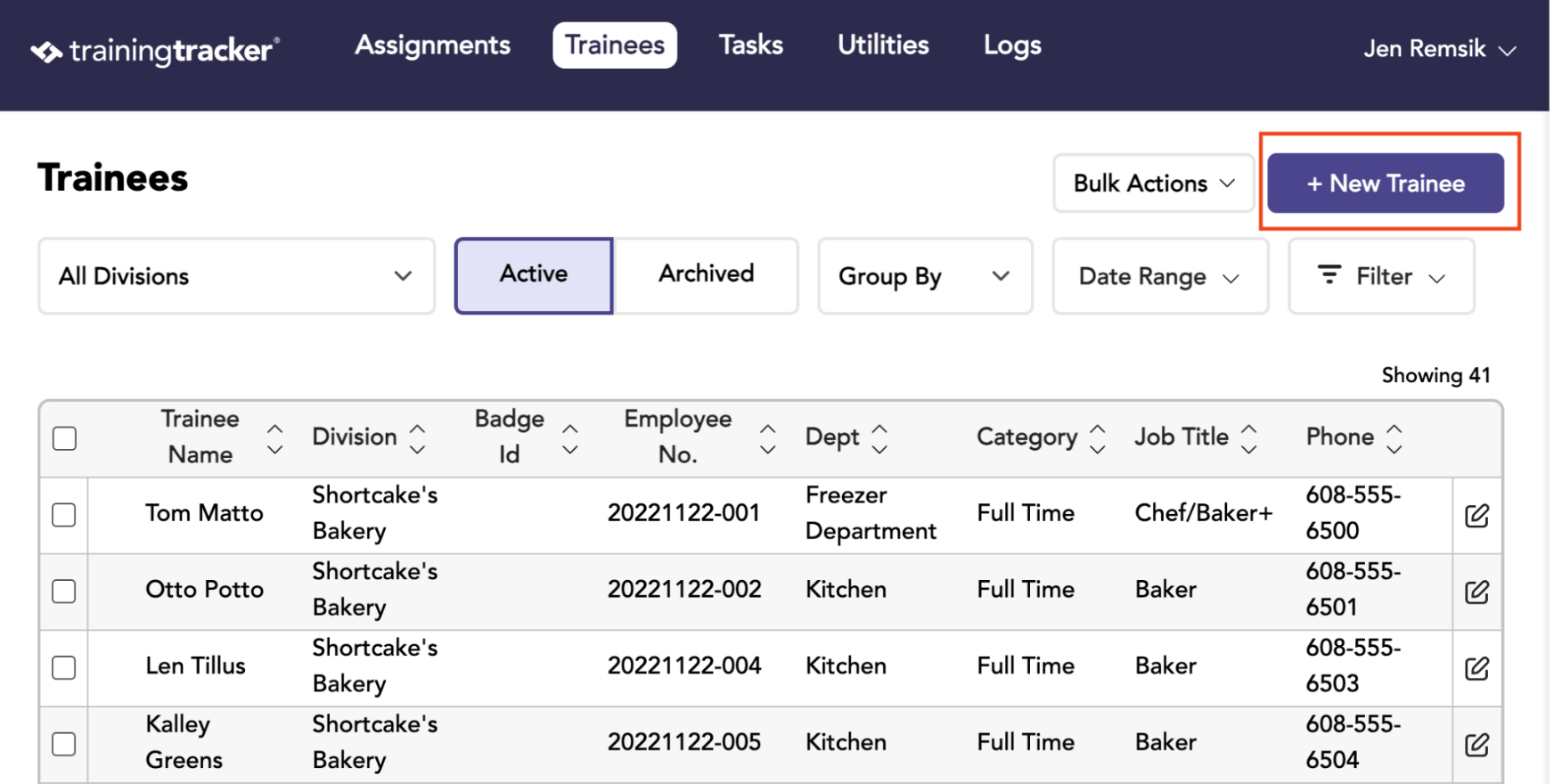
Click the “Create New Trainee” Button The “create new trainee” form will slide out from the right.
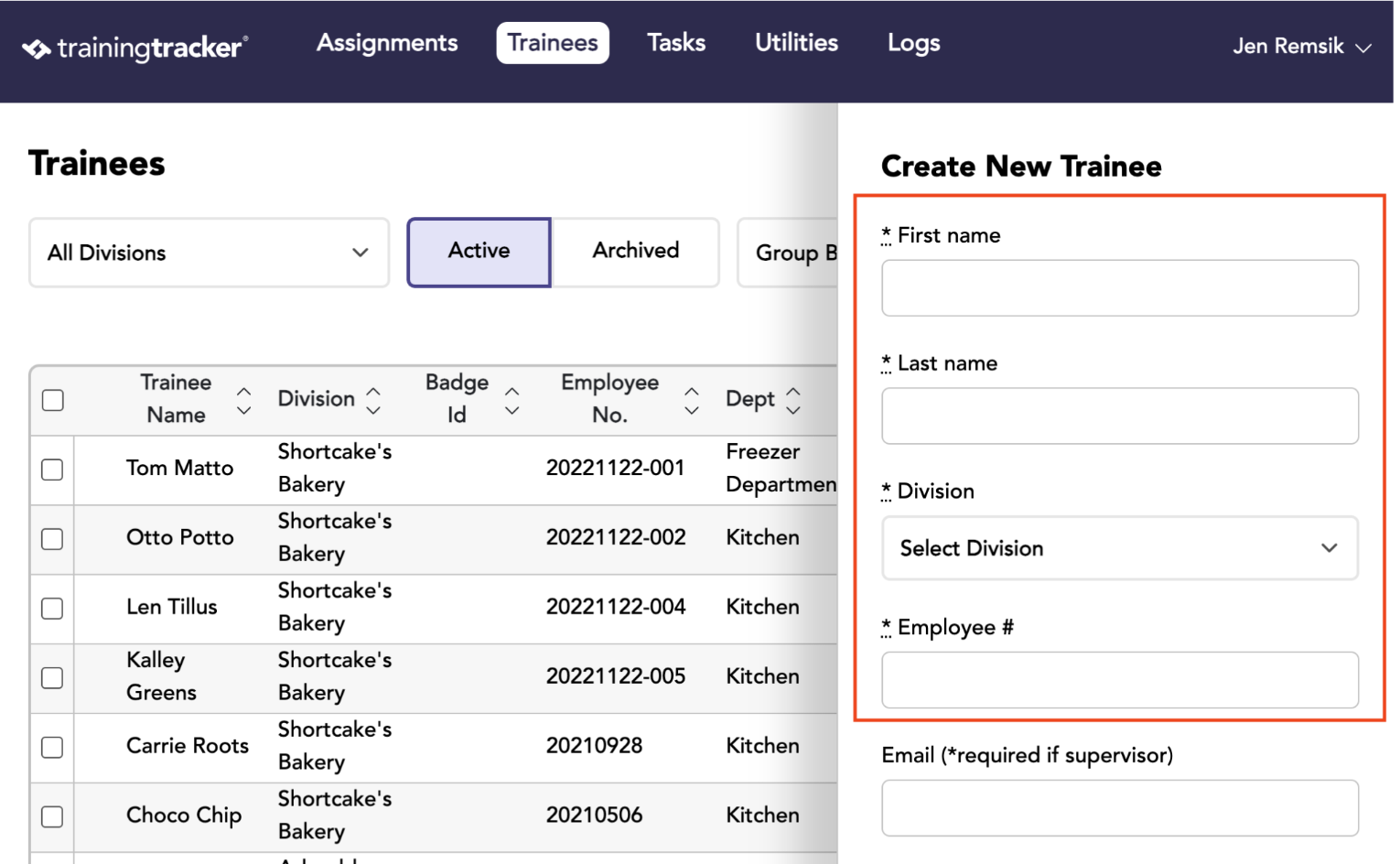
Fill in the fields on the “create new trainee” form and then click “Create Trainee”.
First name, Last name, Division, and Employee number are required fields.
Editing and Deleting a Trainee
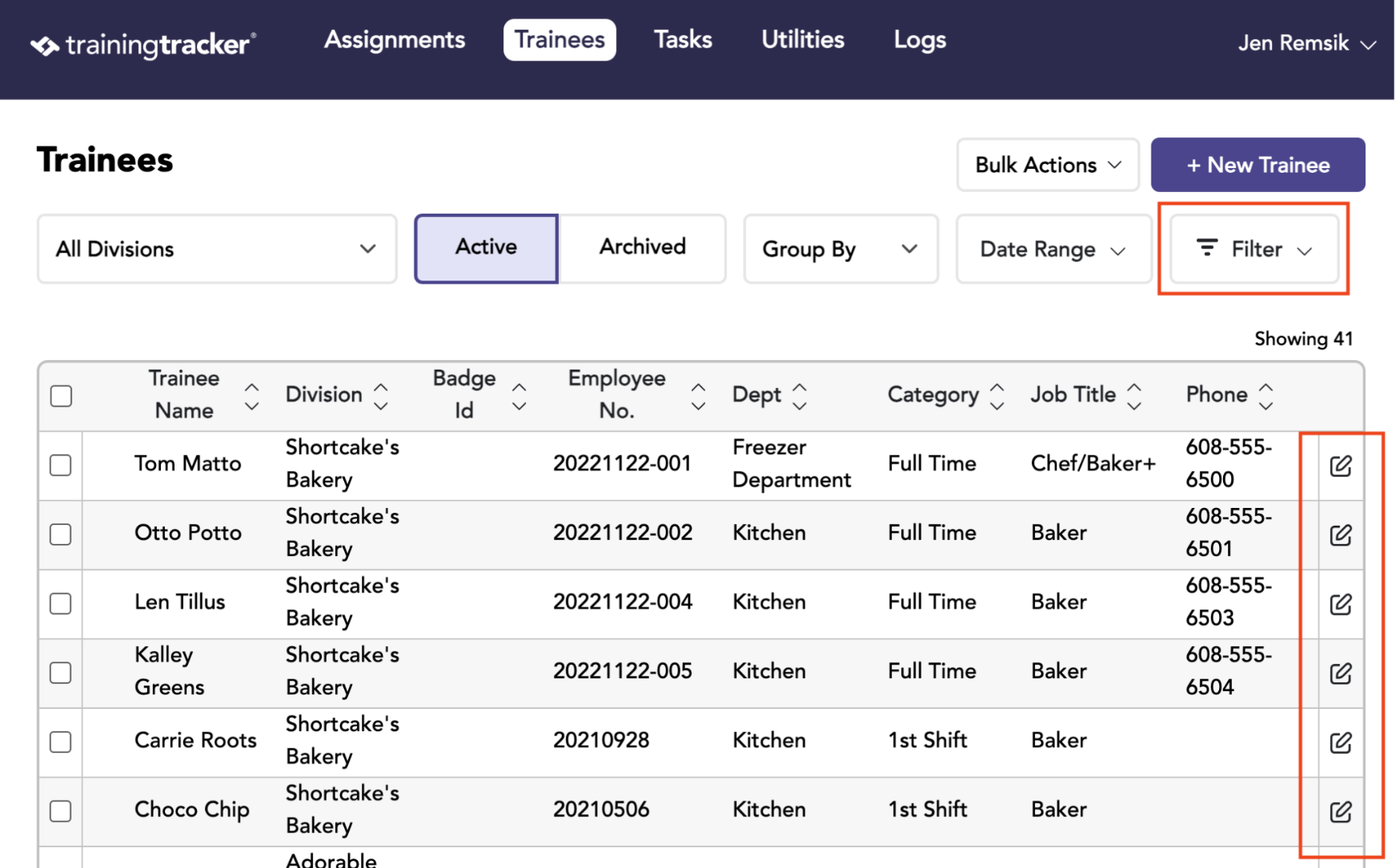
Newly entered Trainees/Employees will appear in the result table on the Trainees tab. The list can be searched using the filters in the Filters dropdown.
You can edit a trainee by clicking on the edit button on the far right of the desired row.
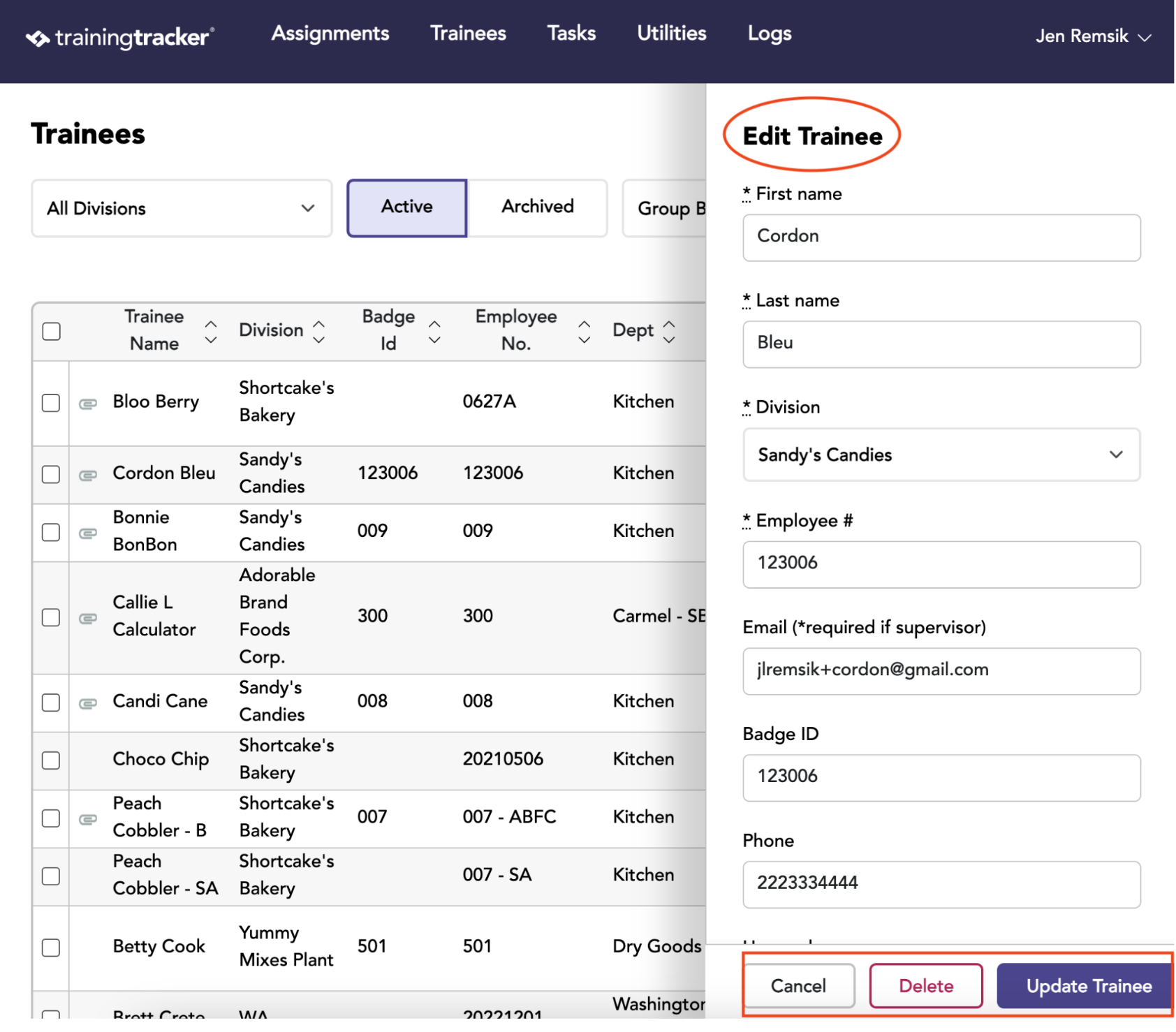
From the Edit Trainee page, you can apply any necessary updates and delete the trainee.
Deleting Multiple Trainees
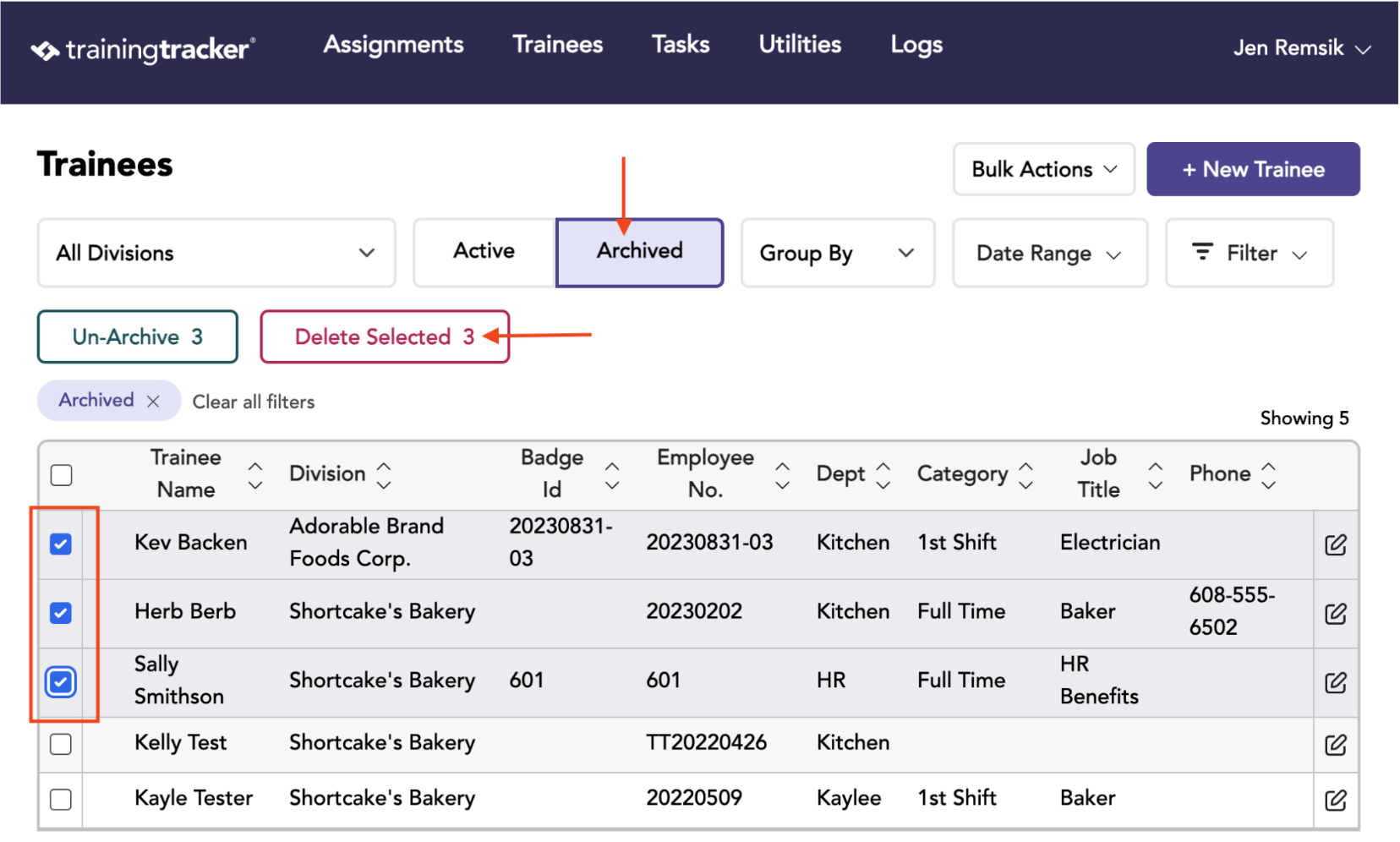
Multiple Trainees can be deleted by archiving the desired trainees first.
Then go to the Archived Trainees, check the box in front of the names, and finally click the “delete selected” button.