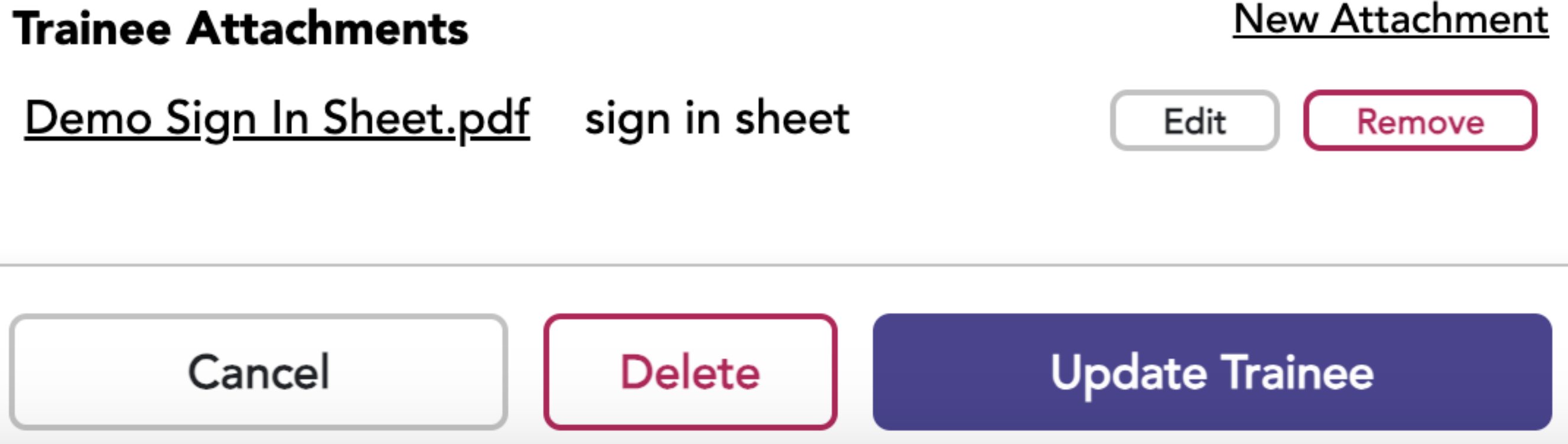
Attachments you might add to the Trainees’ profile might include licenses and certificates, to name a few.
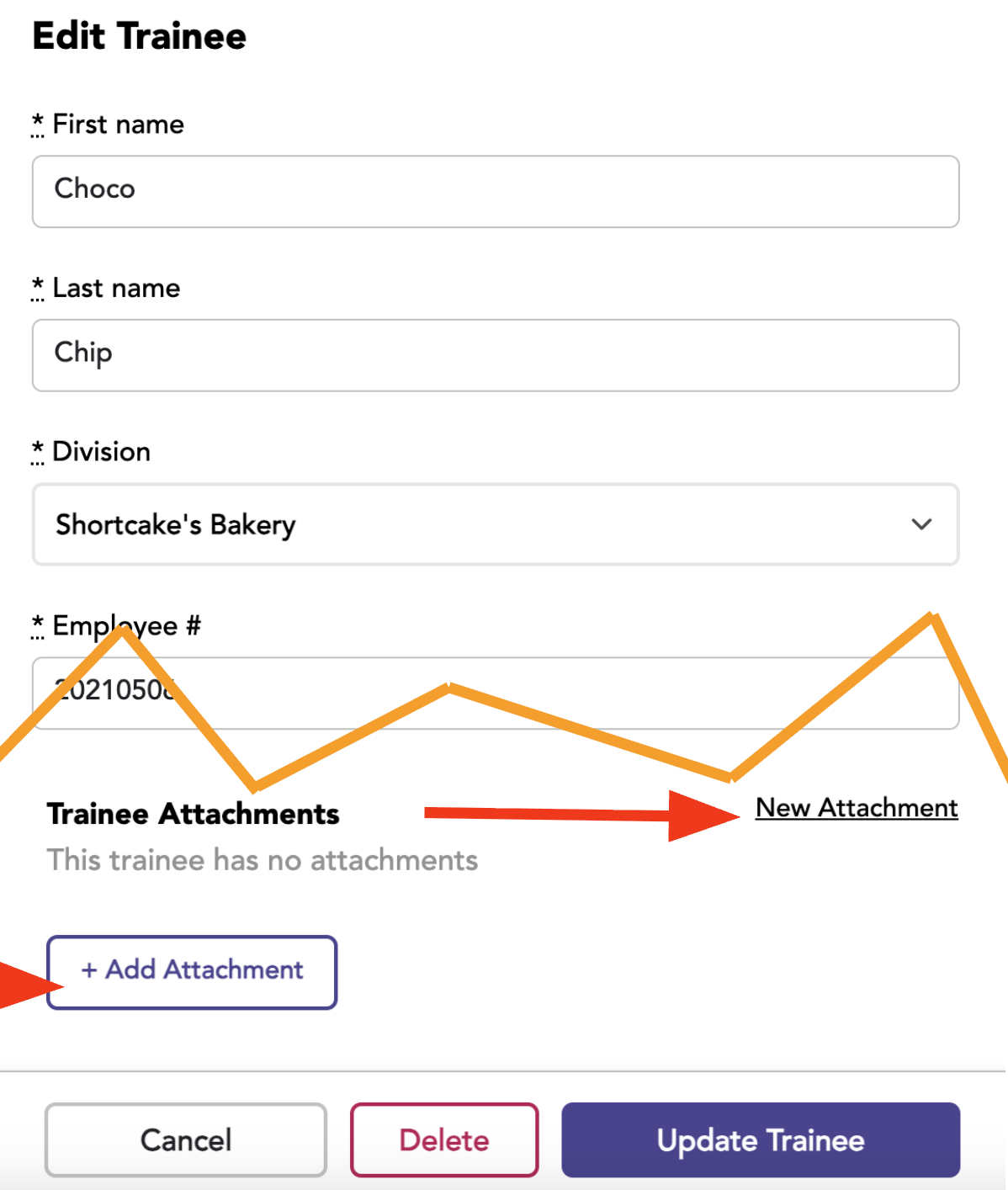
Go to the Trainees tab and select the edit button for the desired Trainee.
Click New Attachment, and the Add Attachment button will appear.
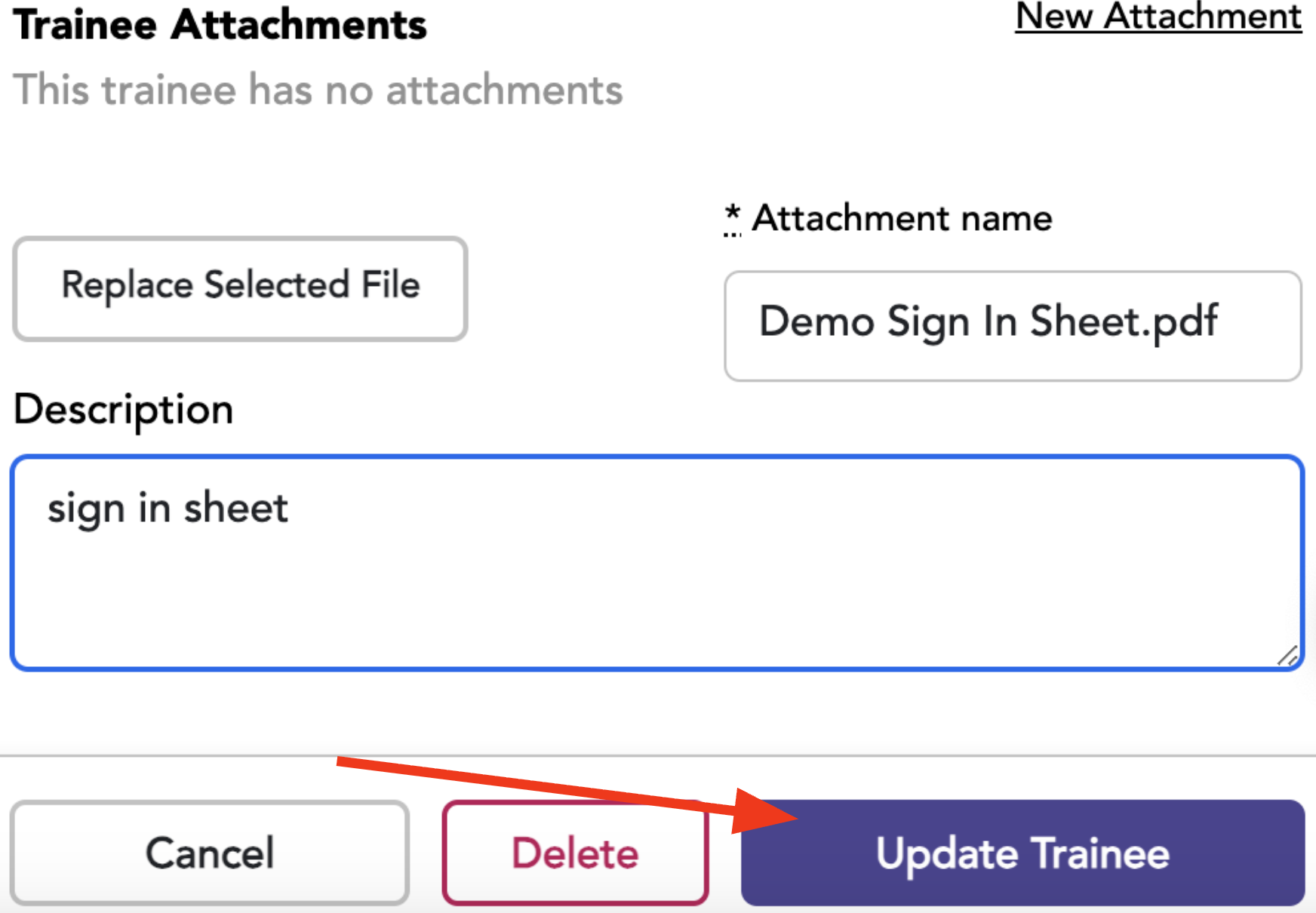
Add the Attachment Details
Choose the file to be attached.
Enter a description if desired.
Click update trainee.
To view the attachment, select the Attachment Name, and a new tab will open. From there, you can print or download through your browser.