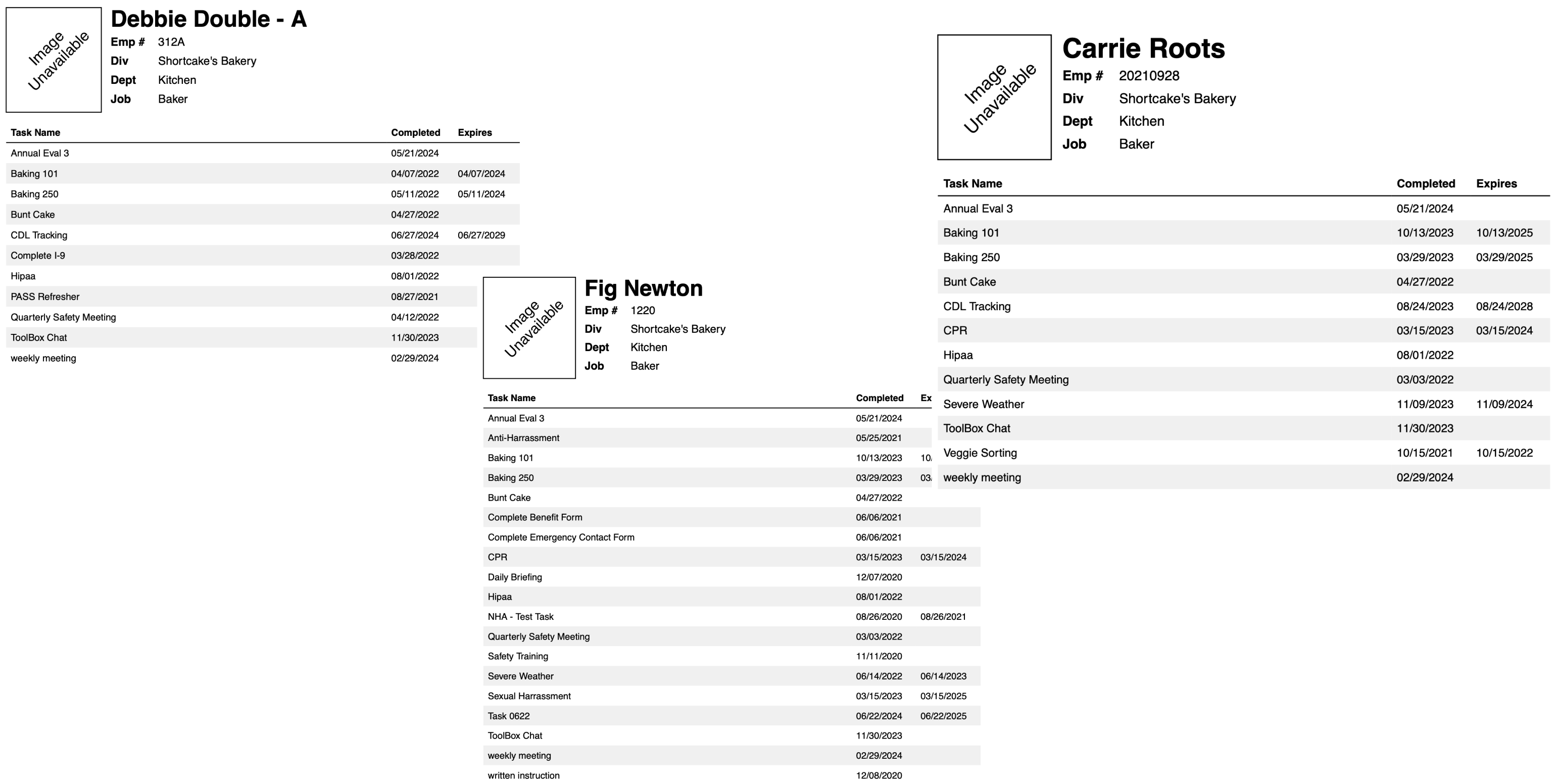
A Training Transcript shows only the most recently completed version of each training for a given Trainee, so if CPR training was completed three times, only the latest appears.
These steps are the instructions for creating a Training Transcript in Training Tracker®.
- Go to the Trainees Tab
- Apply any needed search filters such as department, job title, or individual Trainee.
- Select Transcript from the Bulk Action dropdown. A Transcript will be created for all Trainees listed in the result table. So if you only need a Transcript for “Bob Smith,” then apply the Trainee Name filter to “Bob Smith,” etc.
- Once the Transcript is created, you can print or download it. Each Trainee will be on their own page.
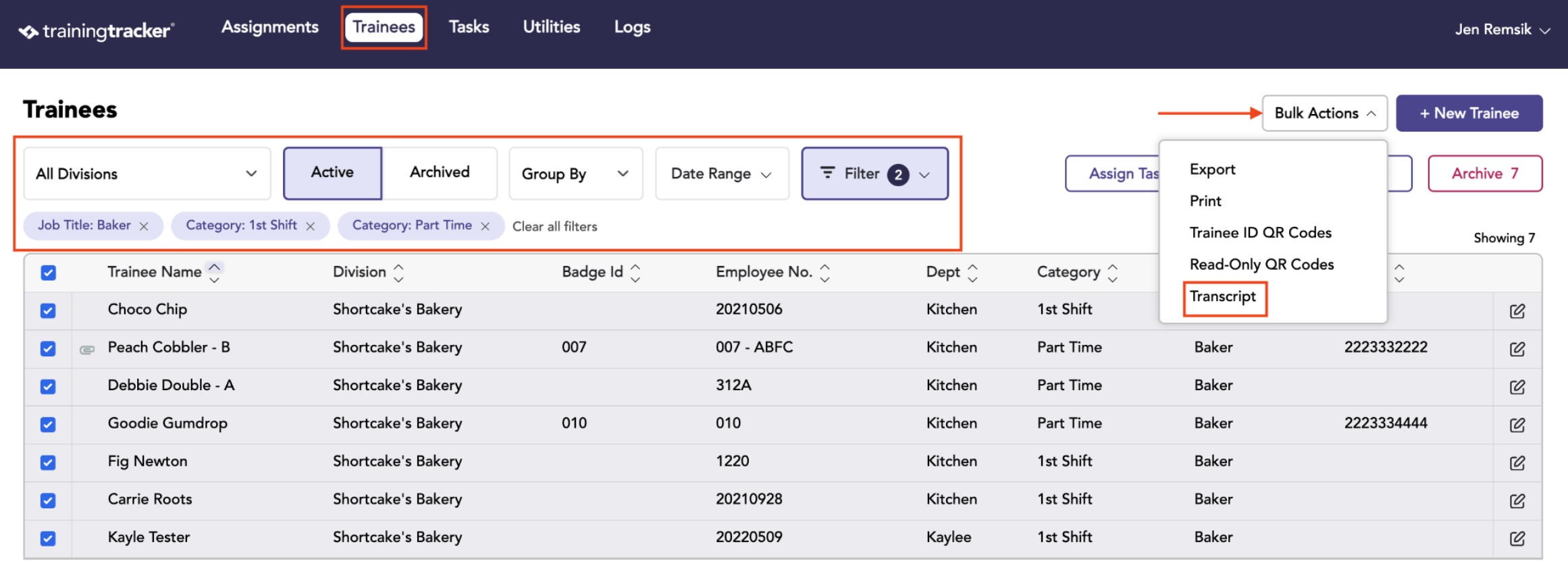
A Transcript will be created for all Trainees listed in the result table.
Once the Transcript is created, you can print or download it.
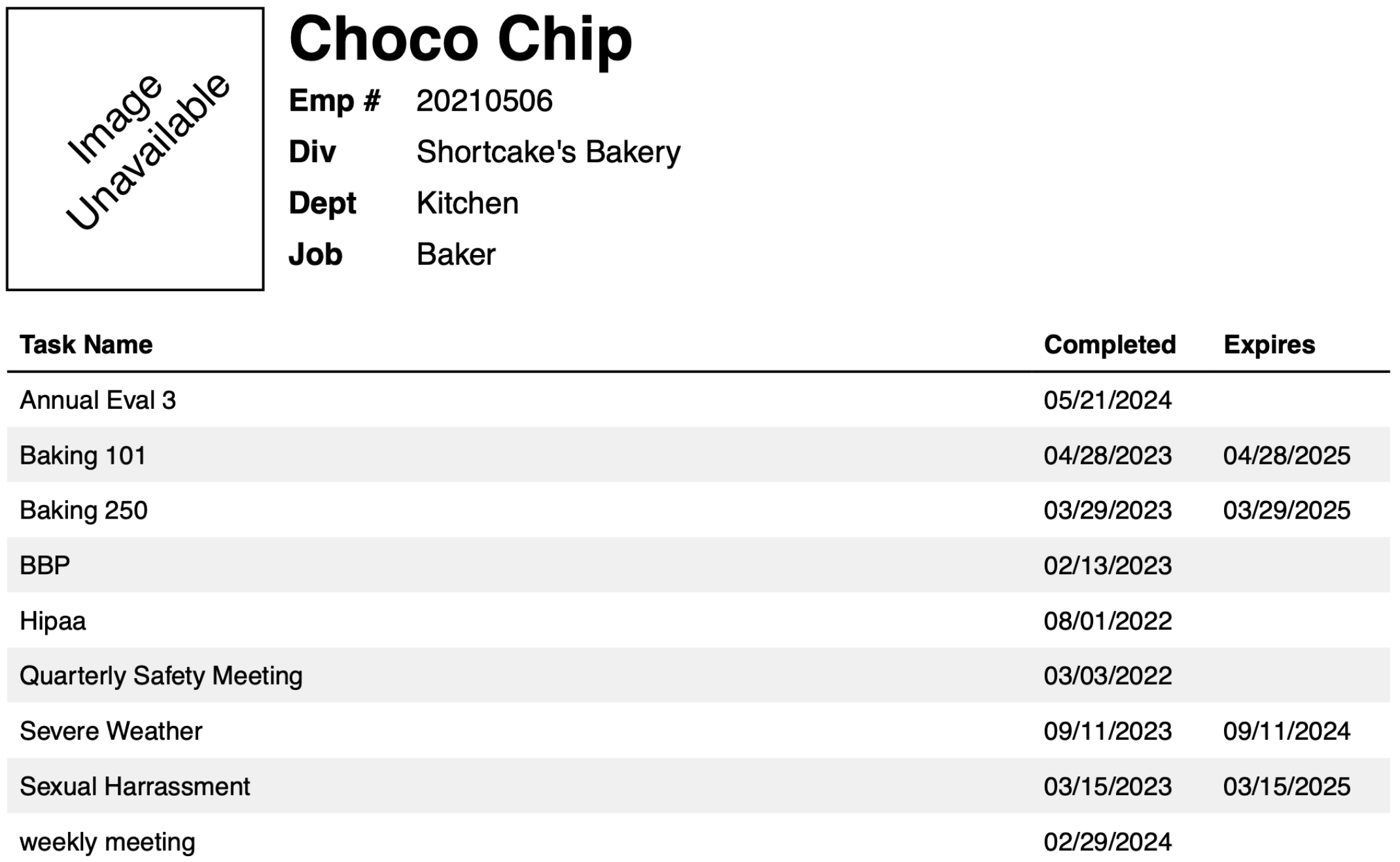
Each trainee will be on their own page.