Removes trainees from the active roster, make tasks inactive rather than deleting them for record-keeping purposes
Deleting vs. Archiving
Deleting a trainee or task will cause all of the associated assignments to be deleted. This might be ok if the information is no longer useful, but in practice, you generally want to keep the information, and remove it from the active reports.
In the case of a trainee, rather than deleting the trainee you can archive the trainee so that their assignments remain in the system, but no longer appear in reports. We’ll show you how to archive and un-archive the trainee, and how to view the archived records.
In the case of a task, rather than deleting, which would remove all associated assignments, the task can be marked as inactive. This will keep the completed assignments as part of the trainees’ records, but it will remove the ability for a user to assign that task. This is useful when a task is revised (such as an standard operating procedure (SOP) or when a task is no longer required.
Archiving a Trainee
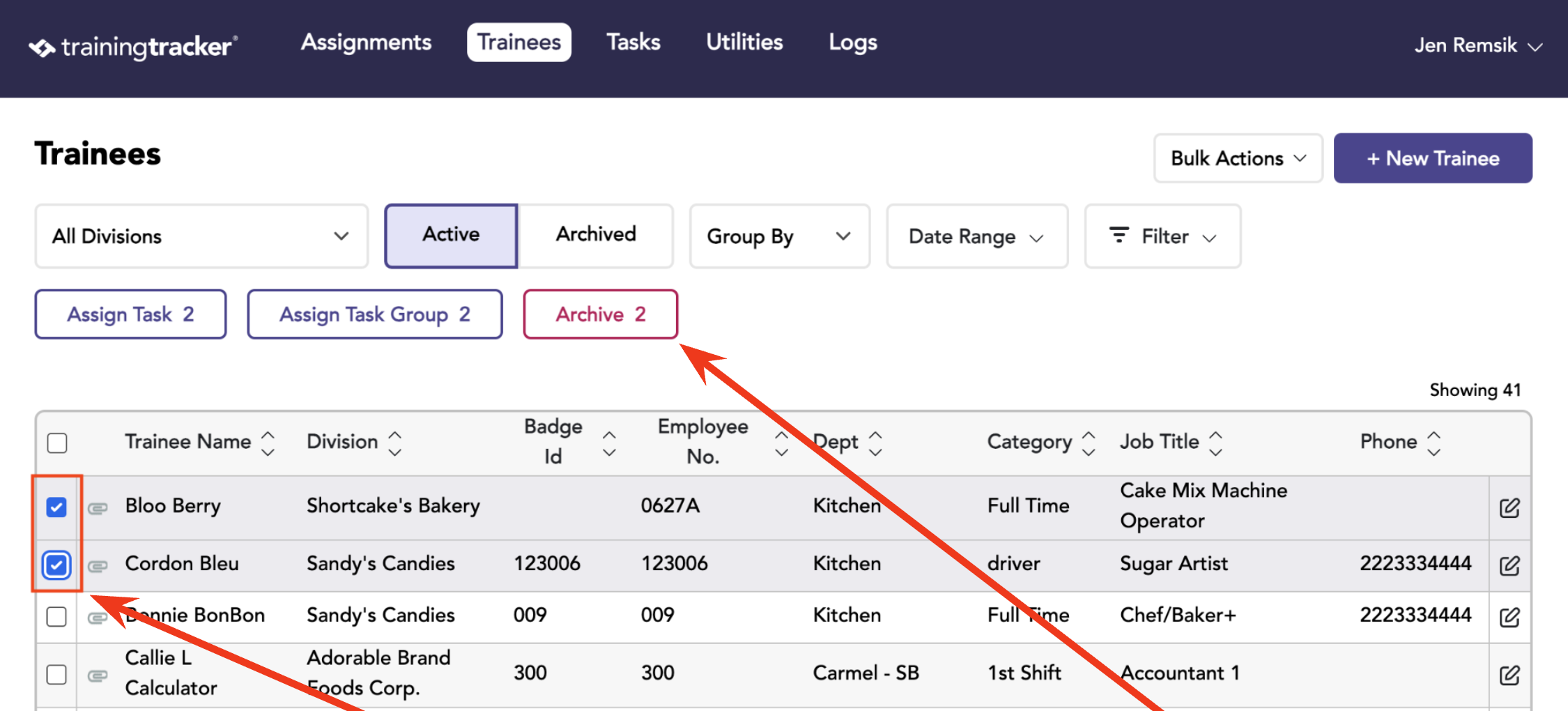
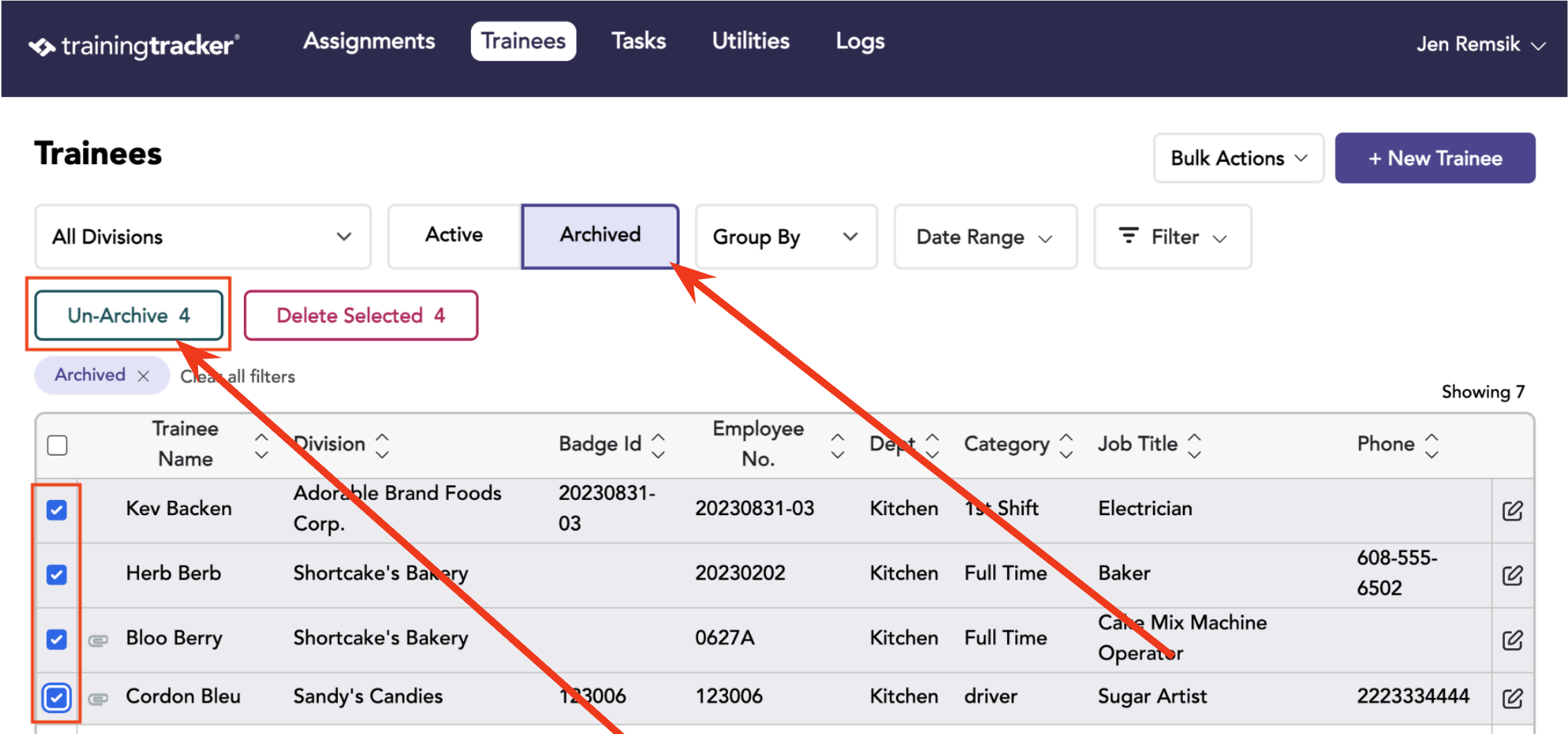
On the Trainees Tab, select one or more trainees, then click the archive button.
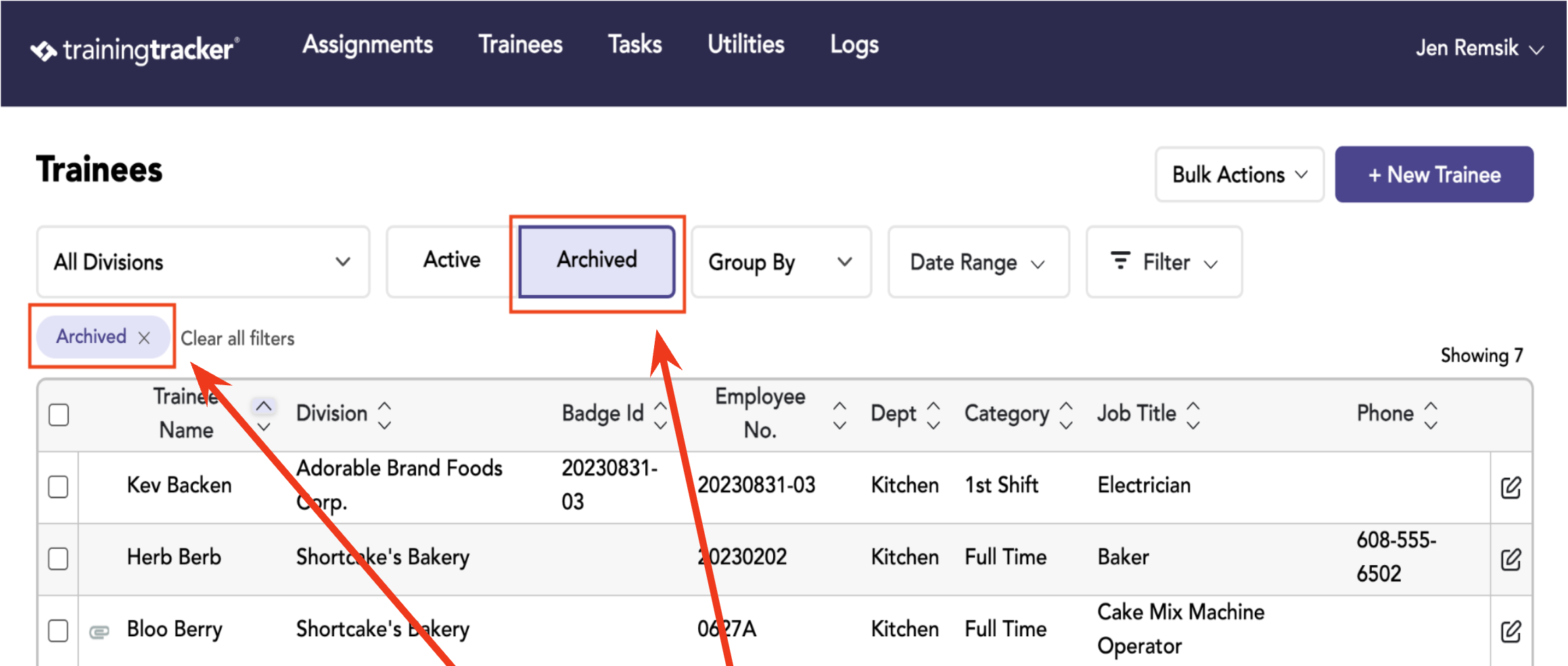
On the Trainees Tab, choose the Archived button. This will show the archived trainees.
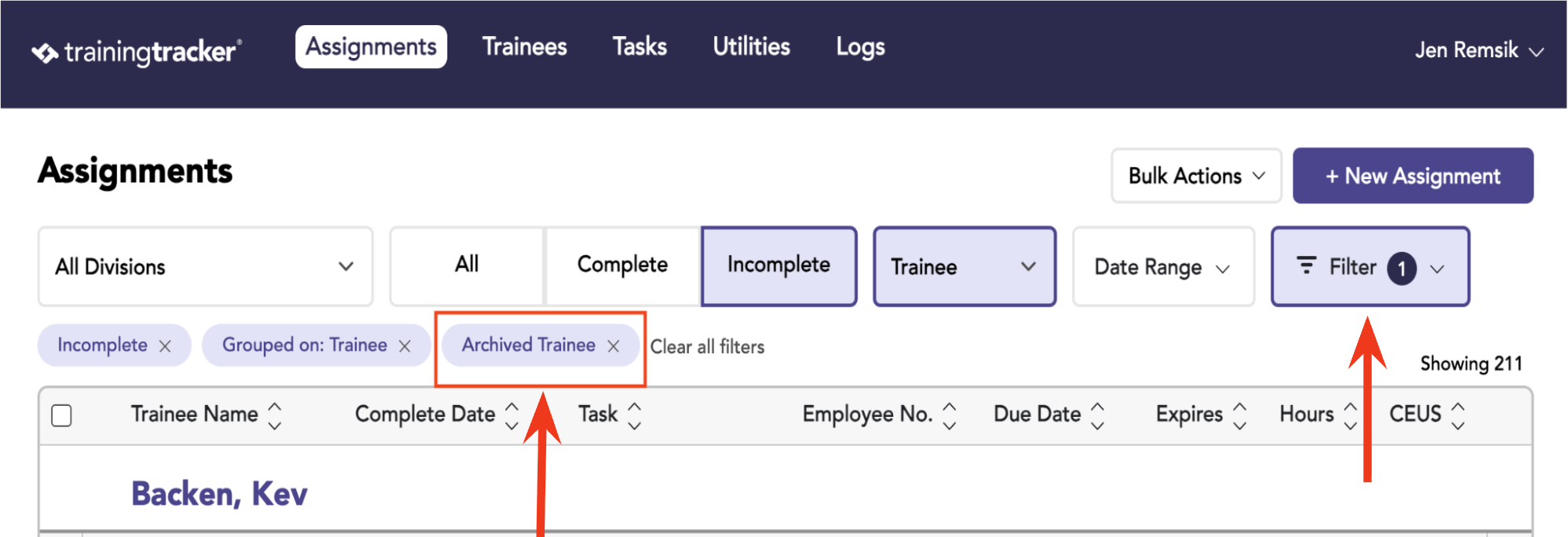
On the Assignment Tab, click “Show Archived Record” in the filters dropdown to see archived assignment records. The Archived Trainee label will display when you are looking at archived assignments.
To unarchive someone and put them back into active reporting, go back to the trainees tab, view archived trainees, select the desired trainees, and click the “Unarchive” button.
Make a Task Inactive
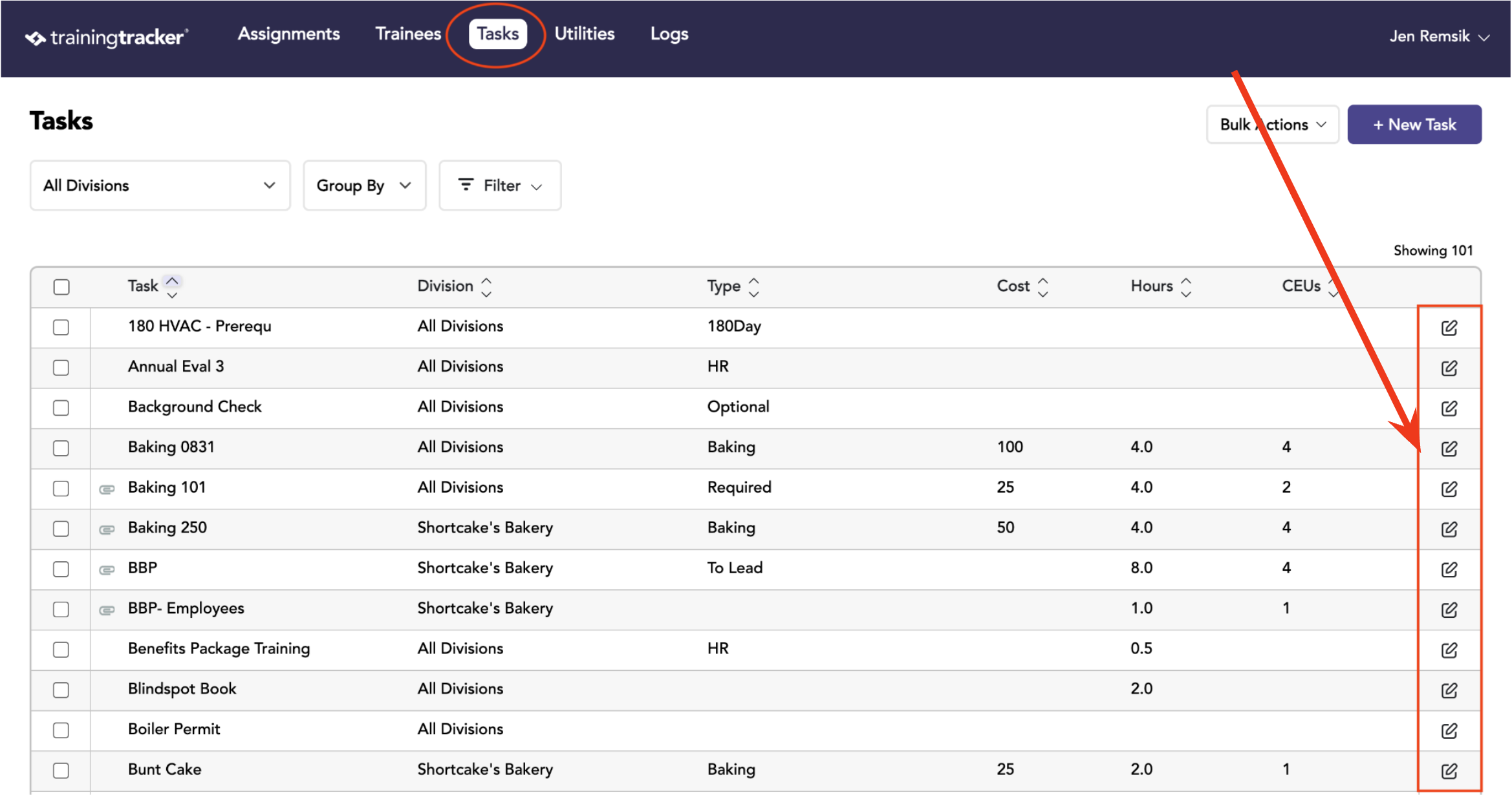
First, go to the Tasks tab and edit the task you want to make inactive.
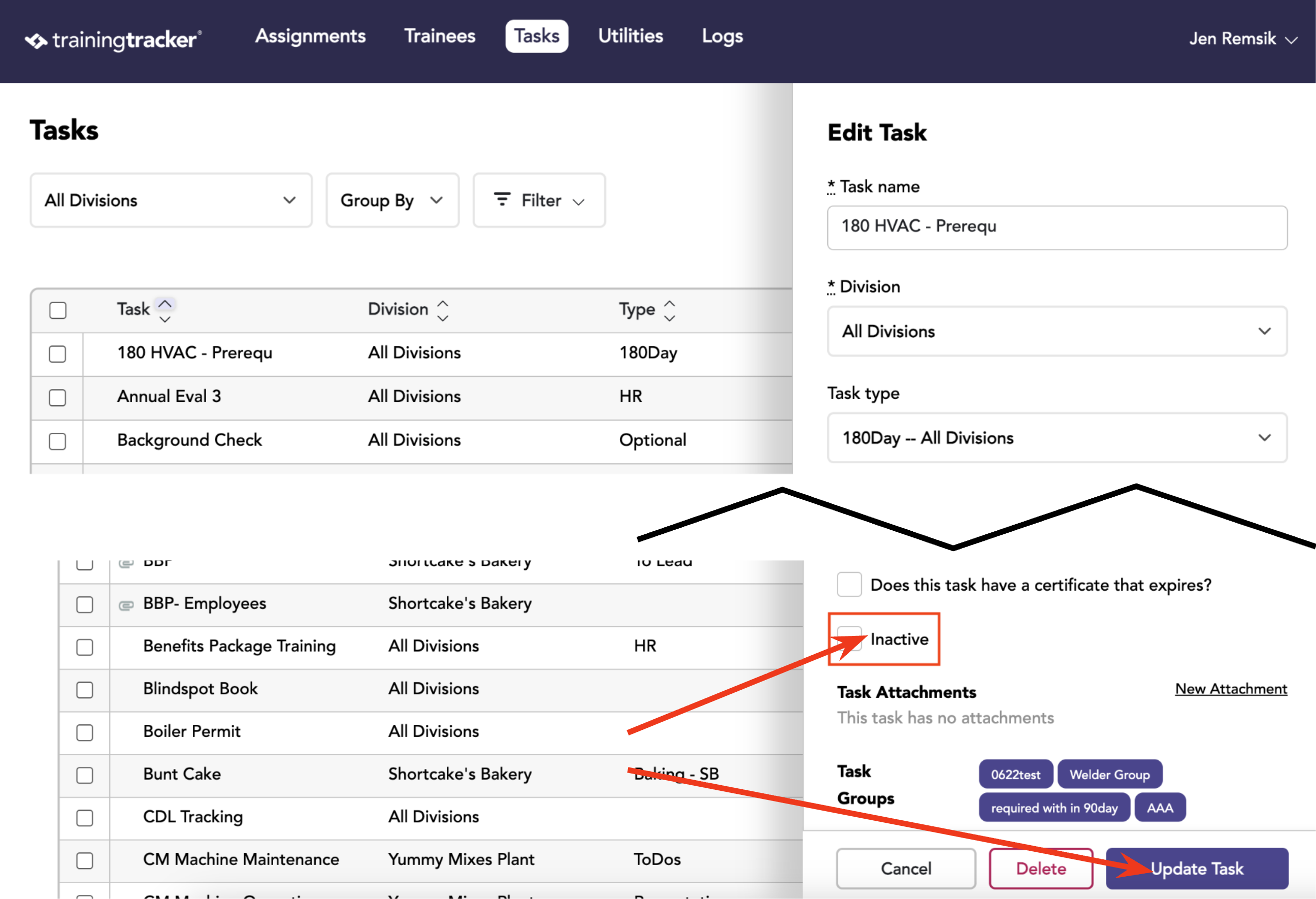
Check the “Inactive” checkbox, and update task.
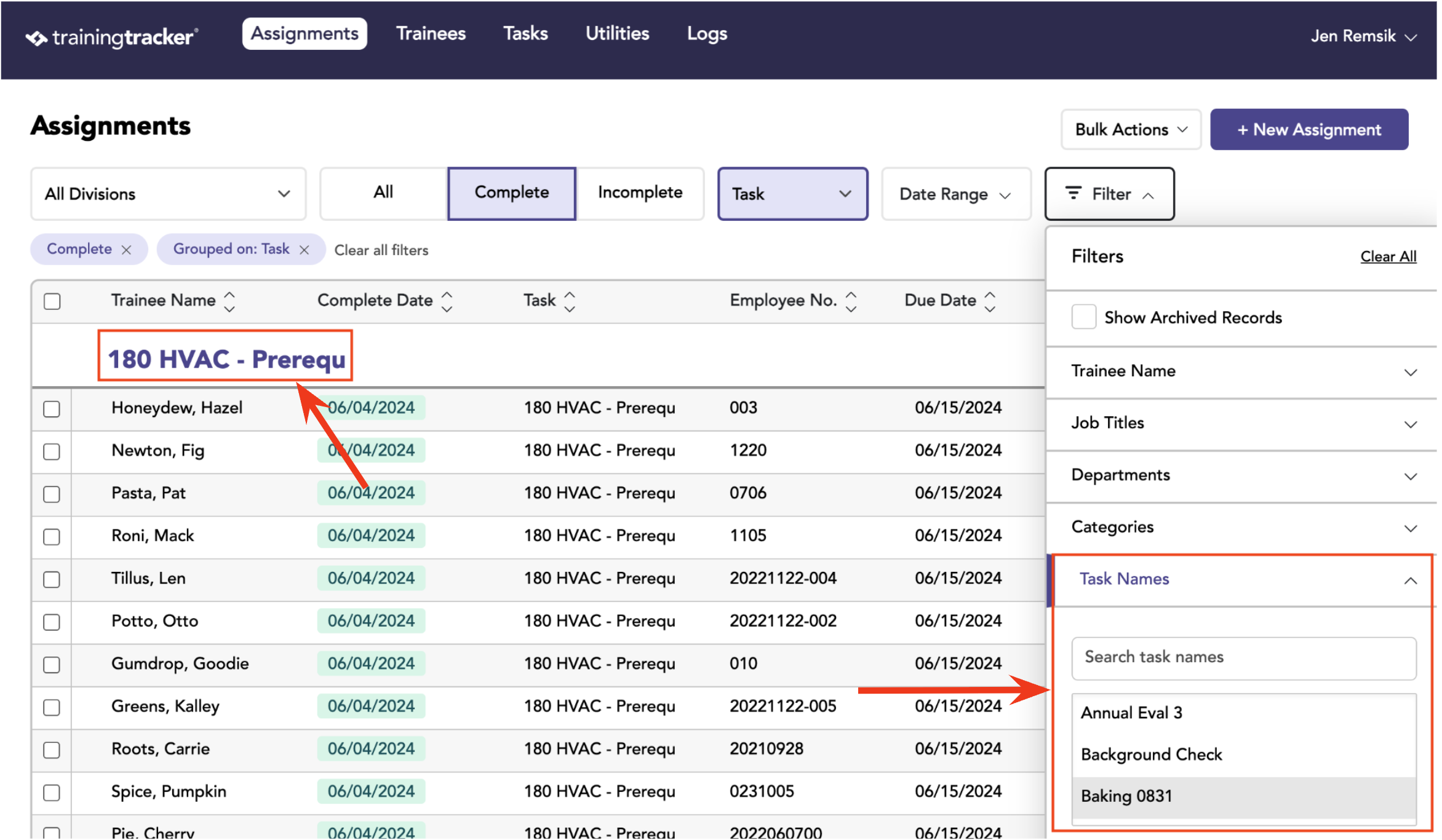
On the Assignments tab, assignments associated with the inactive task will continue to show since trainees did complete the task.
However, you will not be able to create any new assignments for that task.
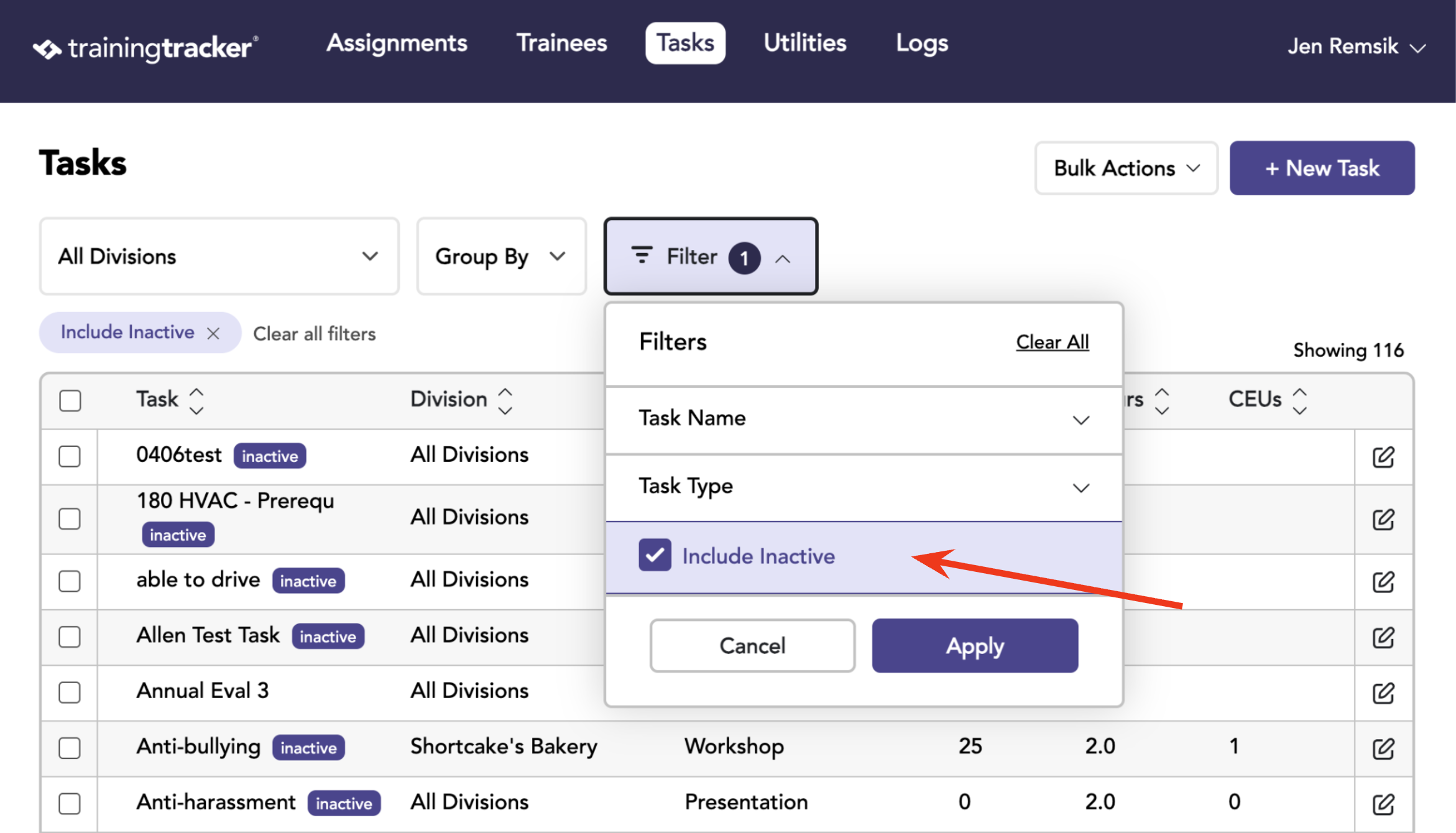
To view Inactive Tasks, go to the Task Tab and apply the Include Inactive filter.